
Blog
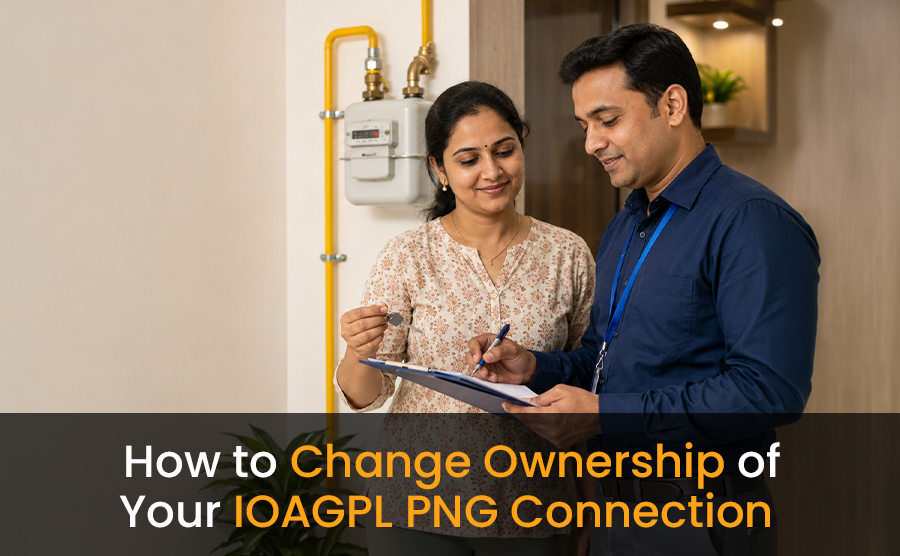
How to Change Ownership of Your IOAGPL PNG Connection
Introduction
A PNG connection is an important utility service for many households using piped natural gas for daily cooking and other domestic needs. However, there are situations where the ownership of a PNG connection needs to be updated. This often happens when a property is sold, transferred to a family member, inherited, or rented out for long-term use.
Many people are unsure about the actual process involved in changing the ownership of a PNG connection. Some homeowners continue using the existing connection without updating the account details, which may later create confusion related to billing, service requests, or documentation.
Understanding the IOAGPL PNG connection ownership change process can help avoid unnecessary delays and ensure that the connection details remain accurate and properly updated. In this guide, we will explain the process in simple and easy-to-understand language so homeowners can handle the transfer process more confidently.
Why You Should Update PNG Connection Ownership
Updating the ownership details of a PNG connection is more important than many people realize. The registered account holder remains officially linked to the connection unless the ownership details are updated properly.
This becomes especially important during situations involving:
- Property sale or purchase
- Ownership transfer within family members
- Inherited residential properties
- Long-term property handover arrangements
An updated PNG account helps maintain accurate billing records and smoother communication with the gas provider. It also helps avoid complications during future service requests, inspections, or connection-related updates.
Keeping the PNG connection ownership updated also improves transparency between the service provider and the actual property occupant.
When to Update PNG Gas Connection Ownership
Different households may require a PNG ownership update for different reasons. The process is commonly requested during property-related changes.
- Property Purchase or Sale: When a house or apartment changes ownership, the new property owner usually updates utility services, including the PNG connection.
- Transfer Within Family: Sometimes homeowners transfer the property or utility accounts to spouses, children, or other family members for legal or financial reasons.
- Inherited Property Cases: If a property is inherited, the PNG connection ownership may also need to be transferred to the new legal owner.
- Tenant or Long-Term Occupancy Arrangements: In certain long-term rental or occupancy situations, users may wish to update account details for easier billing management and communication.
Documents Required to Update PNG Connection Ownership
The exact documentation requirements may vary depending on the provider and property situation. However, some commonly requested documents include:
- Identity proof of the new applicant
- Address proof
- Property ownership documents
- Existing PNG customer details
- Recent gas bill copy
- Application or transfer request form
In some cases, additional verification documents may also be requested to confirm ownership details or occupancy status.
Keeping all documents ready in advance can help make the PNG connection transfer process smoother and faster.
How to Change Ownership of Your IOAGPL PNG Connection
The ownership transfer process is generally straightforward when all required details are submitted properly.
1. Submit a Transfer Request
The first step is to submit a request for PNG ownership transfer. This request may be submitted through the official customer support process, designated service centers, or authorized communication channels.
The application usually includes both the existing customer details and the new owner’s information.
2. Provide Supporting Documents
After submitting the request, the applicant may need to provide supporting documents for identity and property verification.
Make sure the information across all documents matches correctly to avoid processing delays.
3. Verification and Review
Once the documents are submitted, the gas provider may review the application and verify the information provided.
In some cases, representatives may conduct basic verification related to the property or account details before approving the transfer request.
4. Account Update Process
After successful verification, the PNG account ownership is updated in the provider’s records. Future billing and service communication are then issued under the updated customer details.
Homeowners should carefully check the updated information once the process is completed. For precise documentation requirements, official forms, and step-by-step instructions specific to your region, visit the IOAGPL official website or contact their customer care directly.
Important Things to Check Before Applying for PNG Ownership Transfer
Before starting the PNG ownership transfer process, it is helpful to review a few important points.
- Pending Bills or Dues: Ensure that previous gas bills or outstanding dues are cleared before submitting the ownership transfer request. Unpaid balances may delay the approval process.
- Correct Documentation: Verify that the name, address, and property details are consistent across all submitted documents.
- Active Connection Status: Make sure the PNG connection is active and functioning properly before requesting ownership changes.
- Updated Contact Information: The new account holder should provide accurate contact details for future communication regarding billing, maintenance, or service updates.
Common Reasons for Delays in PNG Ownership Transfer
Many PNG ownership transfer requests get delayed because of small mistakes or missing information during the application process. In most cases, these delays can be avoided if all details and documents are checked carefully before submission.
Some common reasons for delays include:
- Differences in names, addresses, or details mentioned in property documents
- Incorrect customer information was provided in the application form
- Missing identity proof or incomplete supporting documents
- Pending gas bills or unpaid dues linked to the existing connection
- Incomplete forms or unsigned application documents
- Mismatch between submitted records and existing account details
Even minor errors can slow down the verification and approval process. Carefully reviewing the entire application, verifying all documents, and submitting accurate information can help ensure a smoother and faster PNG ownership transfer experience.
Tips for a Smooth PNG Connection Transfer Process
A well-prepared application can make the PNG connection ownership transfer process much easier and help avoid unnecessary delays. Taking a few simple precautions before and during the process can improve overall efficiency and reduce confusion.
1. Keep Documents Organized
Before submitting the request, arrange all required documents properly, including identity proof, address proof, property papers, and recent gas bills. Organized paperwork helps avoid repeated submissions or additional visits.
2. Verify Information Carefully
Check all details carefully before submission. Names, addresses, customer IDs, and property information should match across all documents to prevent verification issues.
3. Maintain Communication
Stay in contact with the service provider throughout the review process. Quick responses to additional document requests or clarification calls can help speed up the transfer process.
4. Keep Copies of Submitted Documents
Always keep copies of submitted forms and supporting documents safely stored. These records may help during future follow-ups, status checks, or verification requests if needed later.
How Long the Ownership Change Process May Take
The time required for PNG connection ownership transfer may vary depending on documentation accuracy, verification requirements, and processing workload.
In many situations, the process can be completed within a reasonable timeframe if all documents are submitted correctly. However, delays may occur if additional verification or corrections are required.
Applicants should avoid waiting until urgent situations arise before updating the ownership details.
Benefits of Updating PNG Connection Ownership on Time
Updating PNG connection ownership on time helps maintain accurate records and ensures smoother management of the gas connection in the future. It also helps both the service provider and the current property owner avoid confusion related to billing, account details, and service communication.
An updated PNG account can help provide:
- Accurate and properly managed billing records
- Easier communication with the gas provider for service-related matters
- Faster assistance during maintenance requests or connection issues
- Better transparency in account ownership and customer details
- Reduced complications during future property sales or transfers
- Proper account access for the current property owner
Timely ownership updates also help ensure that all future notices, bills, and service updates are received by the correct person. Keeping utility records updated improves overall convenience and helps maintain smoother long-term management of the PNG connection.
Conclusion
Changing the ownership of your IOAGPL PNG connection is an important step whenever property ownership or occupancy details change. Updating the connection records helps maintain accurate billing, smoother communication, and better account management over time.
The process becomes much easier when documents are prepared properly and information is submitted accurately. By understanding the PNG connection transfer process in advance, homeowners can avoid unnecessary delays and complete the ownership update more smoothly.
As PNG connections continue becoming an essential part of residential energy infrastructure, keeping account details updated remains an important part of responsible utility management.